
Say what can change.
let for an immutable binding. mut when a value should change. Types are inferred, or written explicitly.
let name = "CHUD";
mut count: int = 0;
count += 1;Your code. A native executable. A workspace built around both. Meet CHUD, an independent programming language and its dedicated IDE.
Windows x64 first. A working alpha, built from source.
chud CHUD.App;

use CHUD.Core;

public func Main() -> int
{
    CHUD.Print("Hello from CHUD!");
    return 0;
}Hello from CHUD!
let language = "CHUD";
mut count: int = 0;
const LIMIT = 3;

while count < LIMIT
{
    CHUD.Print(language);
    count += 1;
}CHUD CHUD CHUD
func Square(value: int) -> int
{
    return value * value;
}

mut total = 0;
for number in 0..10
{
    total += Square(number);
}

CHUD.Print(total);285
Clear bindings, explicit function signatures, and useful compiler diagnostics. Small enough to learn. Real enough to run.
Explore the language referencelet for an immutable binding. mut when a value should change. Types are inferred, or written explicitly.
let name = "CHUD";
mut count: int = 0;
count += 1;Typed parameters. A clear return type. Scoped locals and compile-time checks that catch mismatches.
func Add(a: int, b: int) -> int
{
    return a + b;
}The frontend produces LLVM IR, then native objects and an executable. Your compiled app runs independently of Studio.
Follow the compilation pipelineA dedicated desktop IDE, from the first line to the final build. An actual editor connected to your actual CHUD project.
Meet your new workspace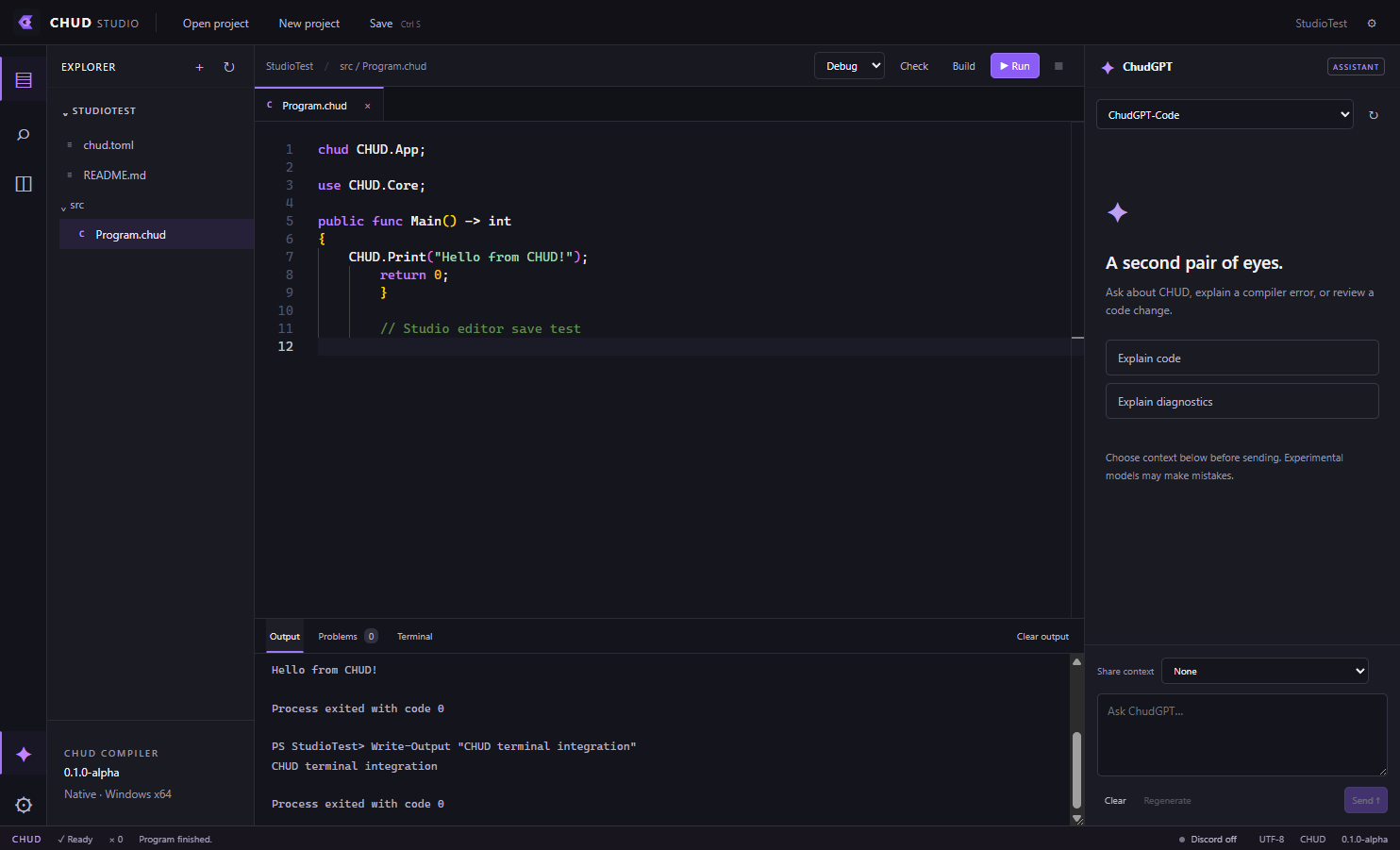
Syntax highlighting, multiple tabs, split editing, find and replace, and autosave settings.
Compiler diagnostics, real build output, exit codes, and PowerShell command execution.
Ask ChudGPT with context you choose. Inspect a diff before applying proposed code changes.
Optional Rich Presence. One toggle. Share your project and filename only if you choose.
Documentation for the language that exists today. Start with a native Hello World, then go a little deeper.
Set up the Windows toolchain and open your first workspace.
Installation guide →LANGUAGE GUIDE 02Bindings, types, functions, control flow, and the rules behind them.
Language reference →PROJECT TOOLS 03Understand chud.toml and the commands that make a project work.
Projects & CLI →The compiler, core language, project tools, and Studio are here. Advanced types, packages, debugging, and a public installer are still ahead. Follow what works and what’s next.
See the status & roadmap